
Introducing Care Needs: Practical Help, Organized
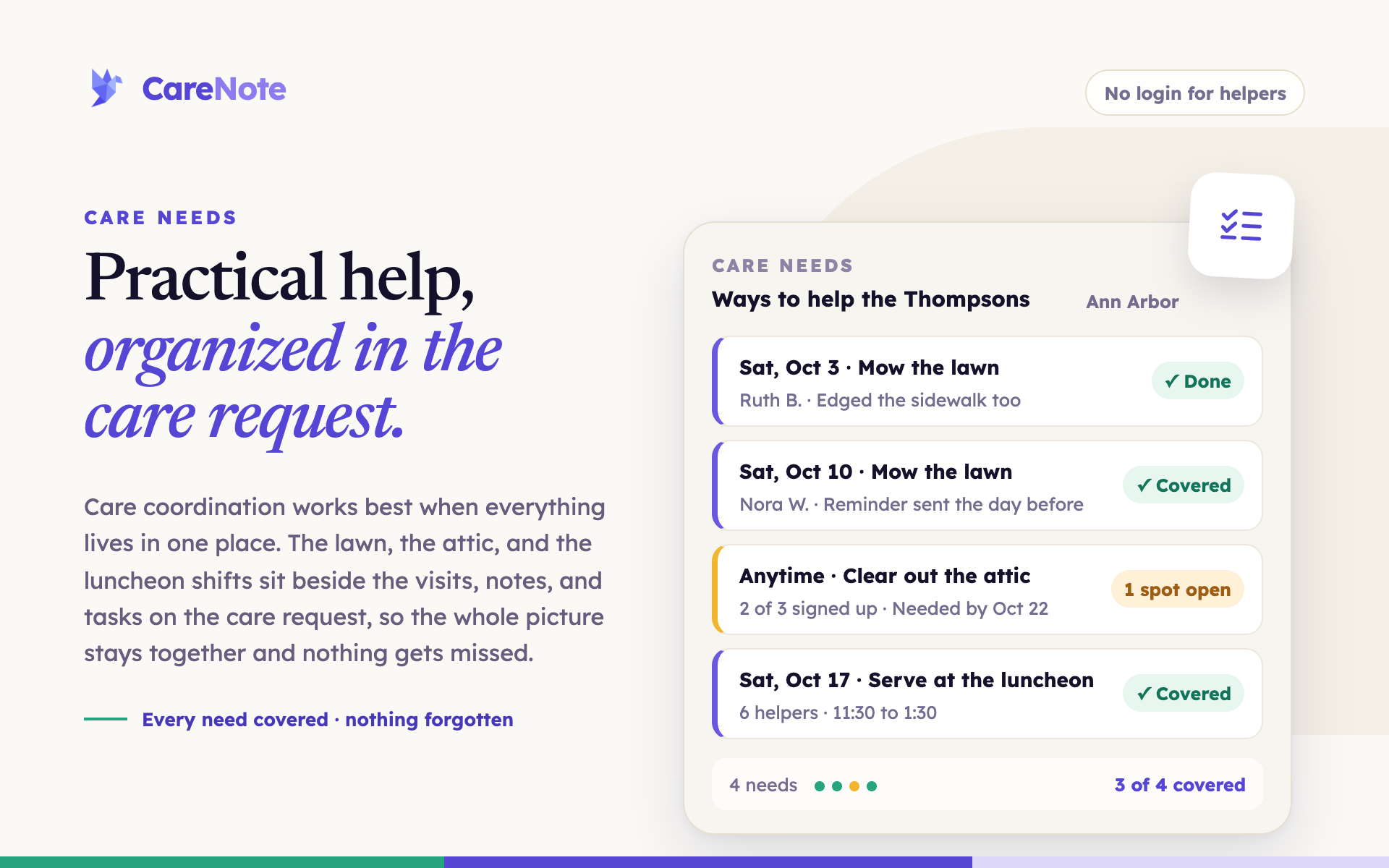
Some care comes with a casserole. Some comes with a lawn mower. Care Needs is a new CareNote add-on that organizes practical help inside the care request: private invitations, a one-click yes with no login, emails that stop when the work is covered, and every finished need on the Care Story.
A missions director once told me about a family in the church who needed their lawn mowed for five weeks. The director did what most of us would do: emailed the list, all 350 people on it, and asked who could help. About a hundred people replied. The lawn got mowed. And one person spent five weeks keeping track of who had said yes to which Saturday.
Introducing Care Needs: practical help, organized (1:44)
That is the part of practical help nobody talks about. The willingness is there. The keeping track is what wears people out.
Meet Care Needs
Picture Margaret, home from hip surgery. The meals are covered. But the lawn still needs mowing, the attic needs clearing, and the car is overdue for an oil change.
Pastor Dawn opens Margaret's care request and adds Care Needs. She types in the address and where to find the mower. Then she lists what Margaret actually needs: mow the lawn every Saturday for five weeks, clear out the attic, change the oil. That is the whole setup.
The right people get asked, privately. Dawn picks a few people by name, invites the whole missions team at once, and adds Margaret's neighbor by email, even though the neighbor has never used CareNote. Everyone gets their own email with their own private link. Nobody sees a group list. The public page shows the city only. The full address goes to the people who sign up.
Helpers say yes in one click. Ruth opens her link. No login, no account, no app to learn. She sees the open needs by date, picks Saturday's mowing, and clicks "I can help." The spot is covered, and the next person who opens the page sees it marked covered, thank you.
The emails stop when the work is covered. While a need is still open, CareNote sends a gentle nudge. The day before, Ruth gets a reminder. And once everything is covered, the emails stop. Nobody gets the fifth "we still need help" message for something that was handled last week.
Every finished need becomes part of the care story. When the lawn is mowed, Ruth marks it done and leaves a note for the family. That lands on Margaret's care request, right beside the visits, the notes, and the tasks your team already keeps, on the care story. Practical help counts as care, and now your care team can see it.
No reply-all. No spreadsheet. No one keeping a list on a legal pad.
Some care comes with a casserole
If you already use Care Table for meals, Care Needs is its sibling, and both can sit on the same care request. Some care comes with a casserole. Some comes with a lawn mower. CareNote organizes both.
Try it on one care request
Care Needs is $199 a year for your whole church, with unlimited pages and invitations, and it starts with a 14-day free trial. Turn it on under Settings, then Optional Paid Add-ons, then Care Needs, and try it the next time a family needs a hand. New to CareNote? Start a free trial or book a demo and I will walk you through it.
If you'd like to see every step, the Care Needs tutorial on training.carenote.app walks through it in under five minutes, and the Care Needs guide on docs.carenote.app has the details. The two-minute introductions to every CareNote add-on live together on the explainers page.
Peace to you and yours.