
CareNote v6: One Timeline, One Place, One System
Version 6 isn't just an update—it's a rebuilt foundation. We unified notes, updates, visits, care reports into one concept: interactions. One timeline per person. One place to see everything. Rebuilt privacy, email-to-CareNote, SMS acceptance, & browser push notifications. Simpler. Faster. Smarter.

The new version of CareNote is here. And yes, I know—for those tracking versions closely, it might feel overwhelming to hear we're already moving to version 6 so soon after releasing version 5.
Here's the honest answer: I needed to rebuild the foundation.
Version 5 added features. Version 6 simplifies the system. To do that properly, I had to upgrade the underlying technology that powers CareNote. This isn't just an update—it's the foundation for where we're going next.
The Big Idea: Everything Is Now an Interaction
Over the last two years, I've consistently heard that the distinction between notes, updates, visit log, and care reports was confusing. Where did I log that? Was it a report? A note? An update?
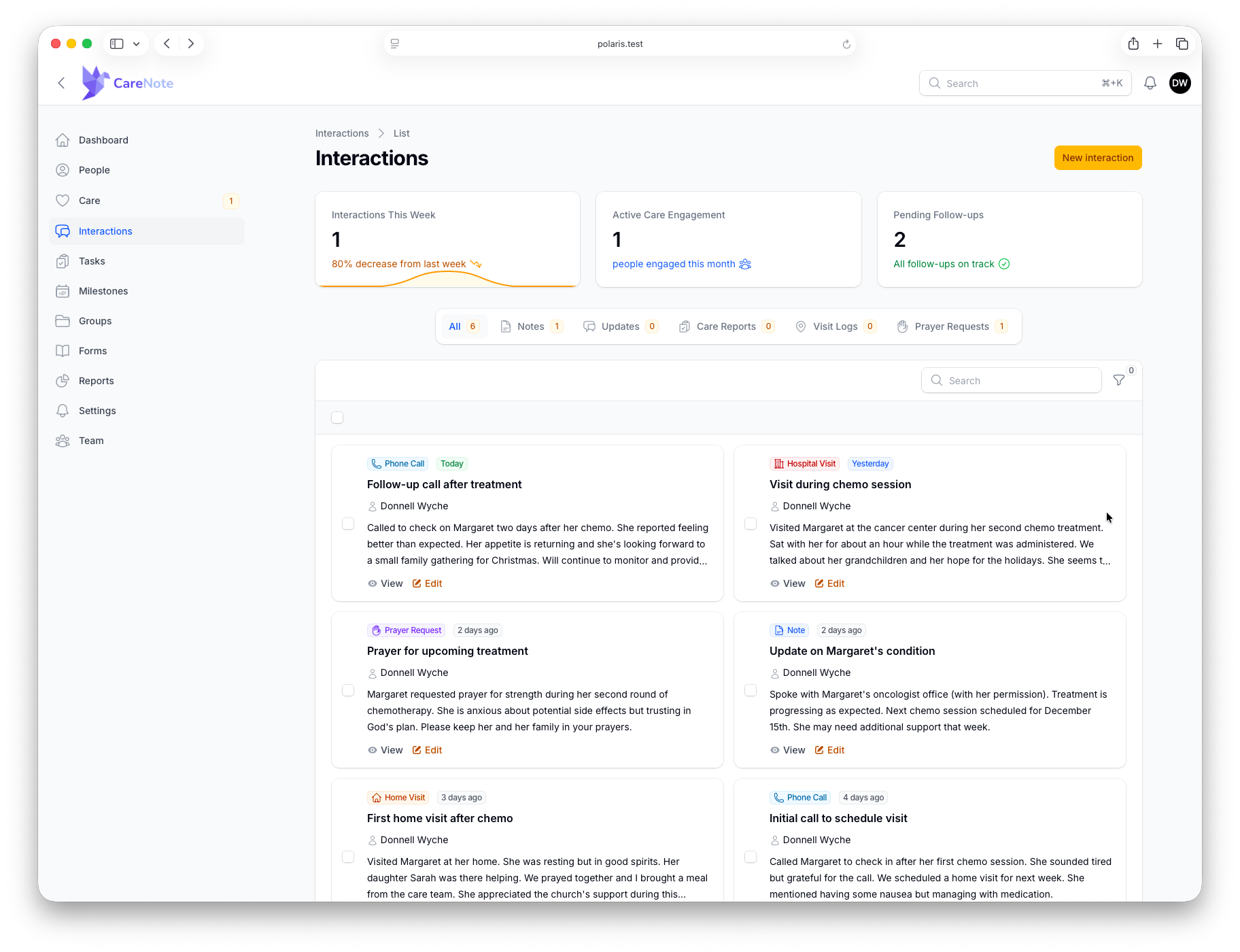
Based on that feedback, I made a significant decision: I removed all four concepts and replaced them with one: the interaction.
An interaction is simple: someone interacted with someone else. A phone call. A text. A visit. An email. A care report. Everything flows into a single timeline per person.
You no longer hunt for where something was logged. There's one place to see everything related to a person's care.
Care Requests Get Simpler Too
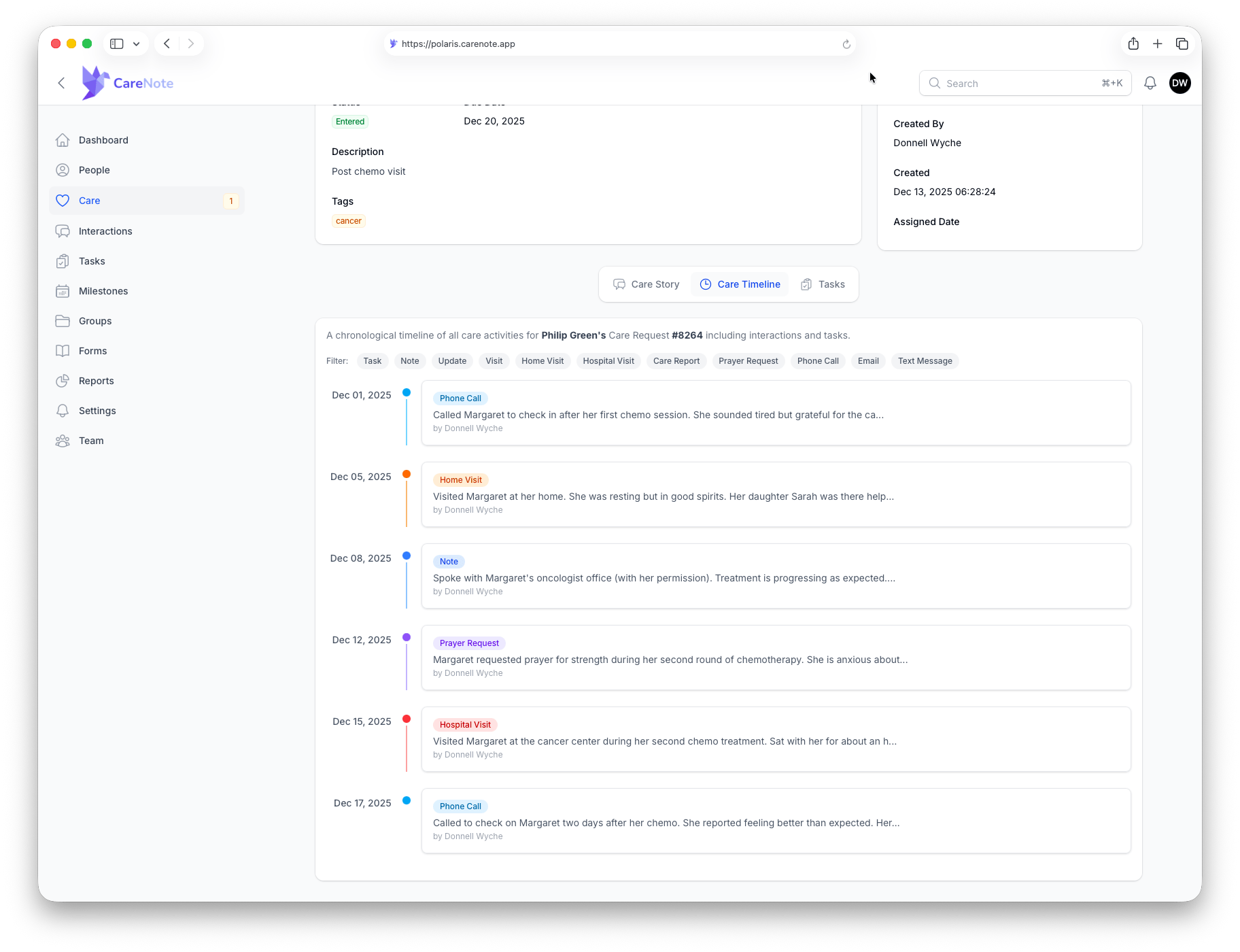
Inside a care request, interactions replace the old care report and attached notes. You get a single stream: the phone call about this request, the text follow-up, the visit report—all in one place.
This unlocks the Care Timeline: a visual, printable view of your entire care journey with someone, from first contact to today.
Privacy, Rebuilt from the Ground Up
When CareNote started, everyone saw everything. Then you started bringing in elders, deacons, and small group leaders—and realized they'd see everything too.
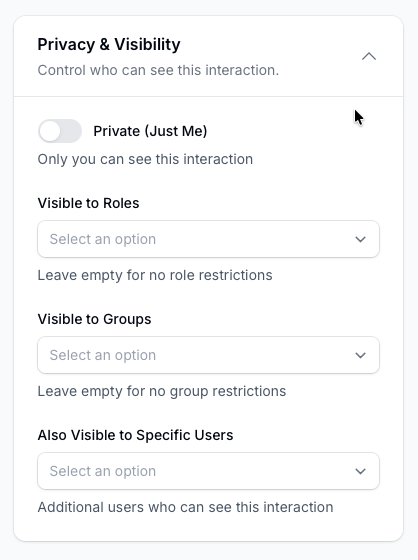
We've completely rebuilt privacy:
- User-level control: Set privacy on each interaction (just me, my groups, or admins)
- Team-wide defaults: Administrators can set baseline privacy for the whole team
- Owner visibility toggle: Even as a site owner, you can turn off your ability to see what colleagues log
That last one surprised me. In my church, we share openly. But you've taught me that's not how everyone operates. Version 6 responds to that feedback.
Email to CareNote
Let me tell you why this feature exists.
Recently, a congregant emailed me about someone who'd had surgery. She could have used our Planning Center form, but she emailed instead. That email came in after hours. I saw it while scrolling my phone, then forgot about it. Two weeks later, I realized I never responded. Never told my team. Someone's care need slipped through the cracks.
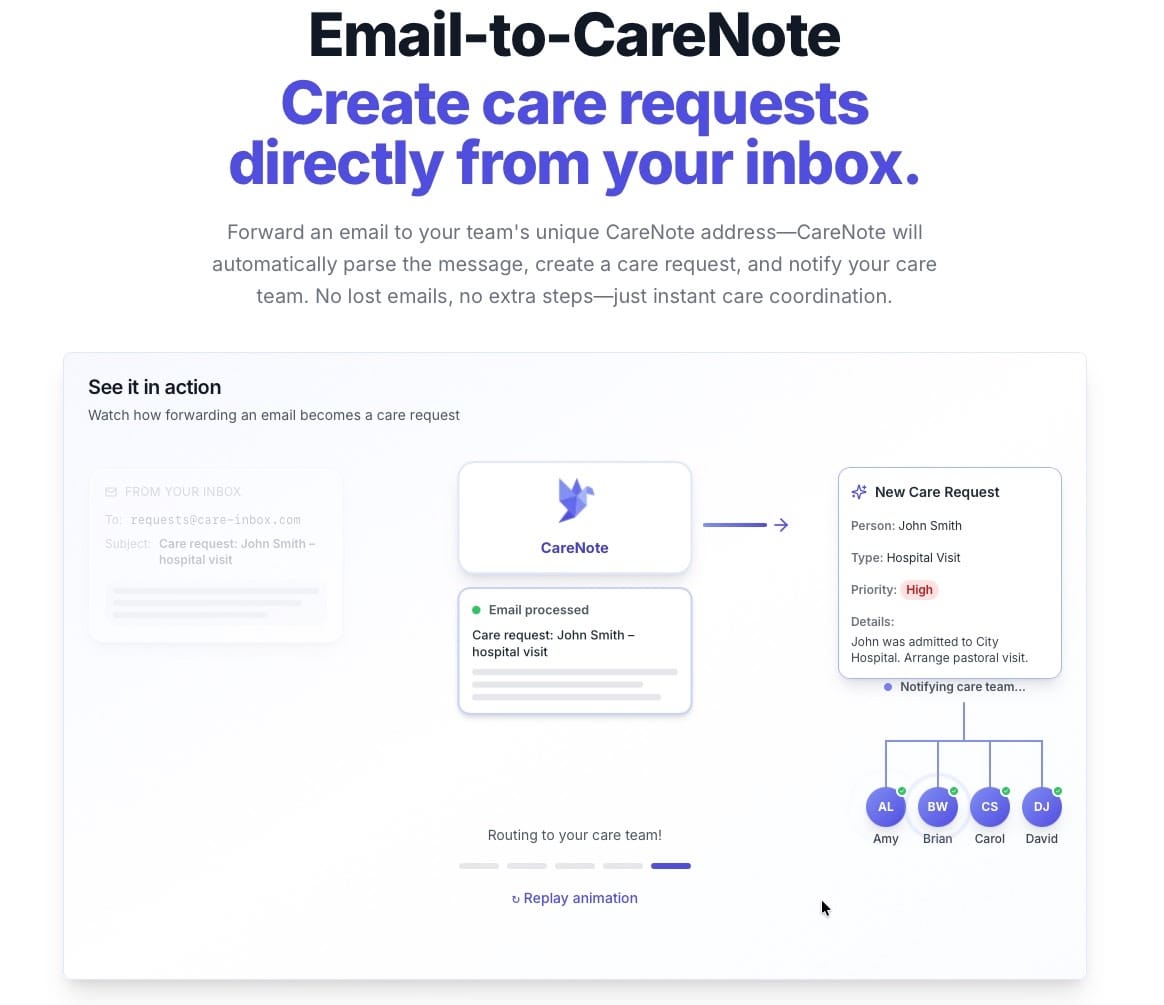
That failure prompted me to build Email to CareNote. Forward an email to your team's dedicated CareNote address, and it becomes a care request—automatically routed, tagged, and notified. You email it and forget about it. CareNote takes care of the rest.
SMS-First Care Coordination
Care providers can now:
- Accept care requests via text: Reply "accept" and you're assigned
- Receive task assignments via SMS: Accept or decline without logging in
- Submit care reports via text: Perfect for capturing a quick note from your car after a visit
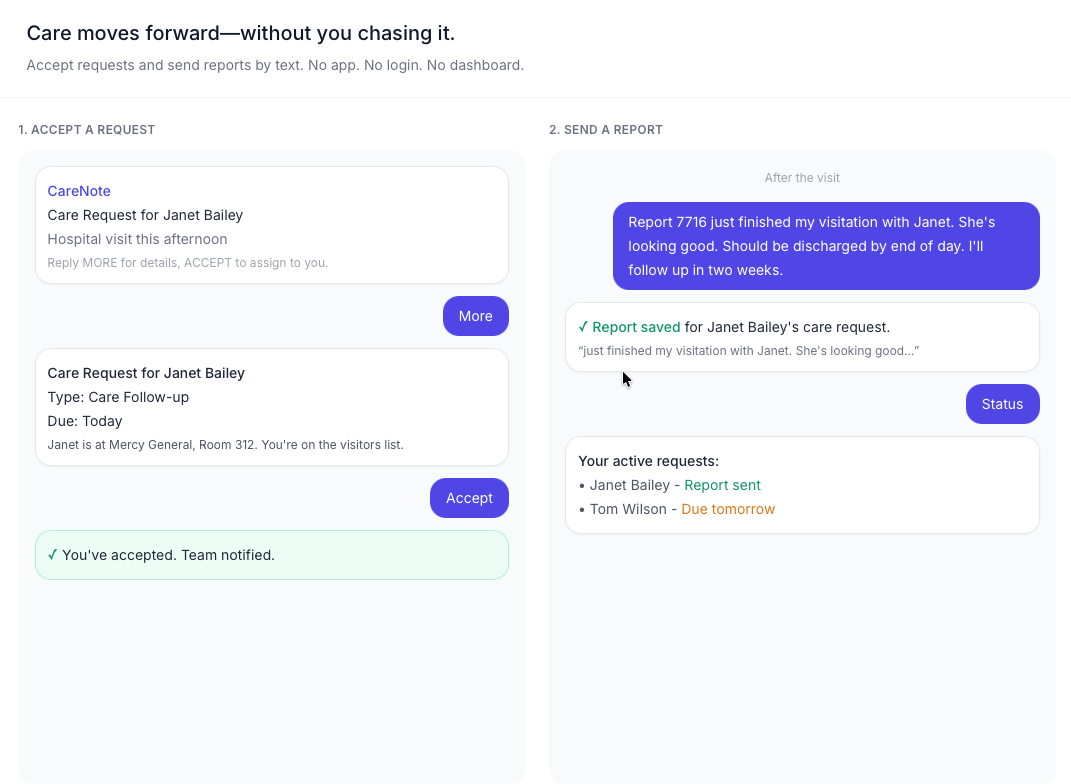
No app required. No login. Just text.
Browser Push Notifications
CareNote now supports email, SMS, and browser push as first-class notification options. Get a prayer request? Get alerted on your phone immediately. A form submission through Planning Center? Push notification instead of email (or in addition to it).
You control everything—turn notifications on, off, or mute them entirely.
Workflows That Actually Connect
Workflows have been rebuilt. The most requested improvement: workflows can now create care requests automatically.
A grief workflow can include care request creation as one of its steps. Manage everything from the workflow view or from the care request—whichever works for you.
Workflows now show visual progress bars so you can see where someone is in the process at a glance.
What Else?
- Performance improvements: Pages load faster, tables render quicker
- Care requests stay open: Auto-close is off by default (by popular demand)
- Improved visitation alerts: Get notified when visits are due or overdue
- Enhanced Planning Center sync: Emails, phones, addresses, and household changes now sync
- New integrations: Church Community Builder, ChurchSuite, Rock RMS
- Two-way Planning Center notes: Push and pull notes between systems
- Tabs support: Sync your Planning Center organization into CareNote
Preview It Today
The preview is live at polaris.carenote.app. Log in with your current credentials. Your data is there (a recent backup), but anything you do stays in Polaris.
Version 6 goes live next Monday, January 12. I'll be testing throughout this week.
The Vision
At a deeper level, what I'm building is a pastoral care operating system. My goal: simplify administration while improving the quality and consistency of care.
Better care requires better visibility. Better visibility requires a coherent stream of information that works with you, not against you.
Version 6 is the foundation for that future.
Thank you for trusting CareNote. Thank you for trusting me. I’m grateful you’re part of this journey.
— Donnell